CONFIGURATION WORKSPACE |
|
|
|
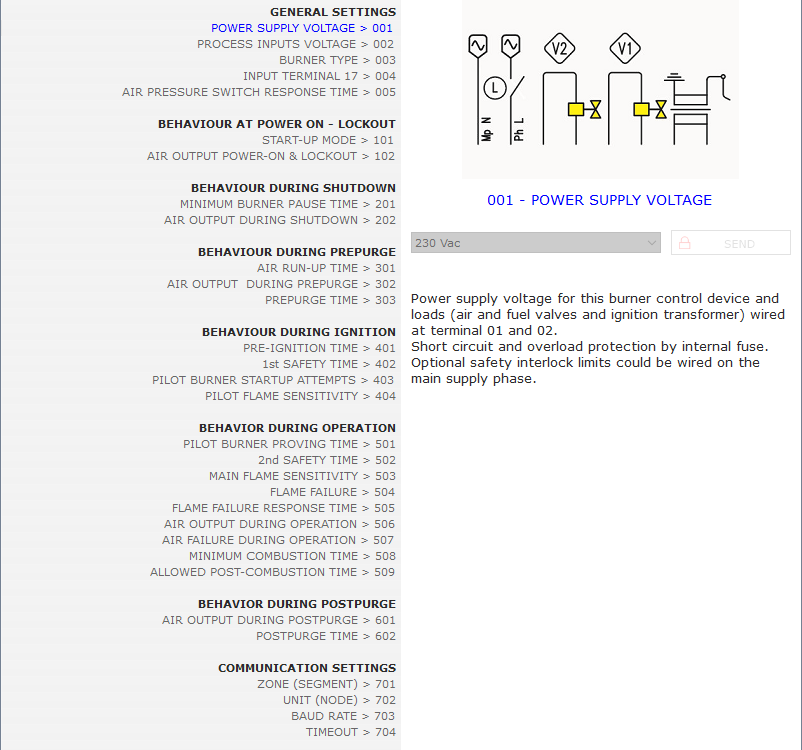
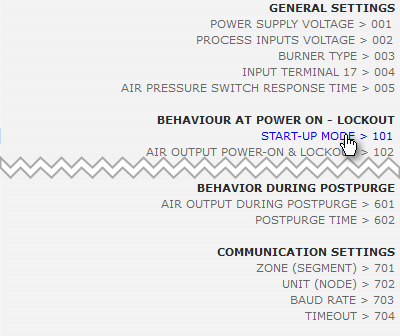
The complete list of parameters in logical sequence for each step of operating cycle is shown within the LEFT PANE. Click to select a PARAMETER |
The detailed description and available options for the selected parameter are shown within the RIGHT PANE. Select one of available OPTIONS |
|
. |
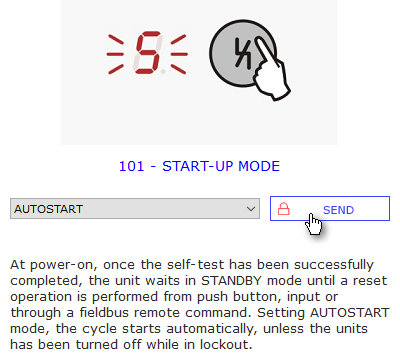
To send the whole configuration (all parameters) from the Main Menu: Device > Write If you just need to modify a single parameter, once you set the preferred option, click the button SEND. A RED PADLOCK within the SEND button means the parameter is protected and will be transferred to device only if the correct password is provided in Settings > Password. Password to modify all parameters is disclosed on request. You may continue or abort the operation: Device must be in MANUAL SHUTDOWN (display 0). |
|