|
WEBSERVER |
|
|
From any browser you can access the web server embedded in Qio by specifying as URL the IP address assigned to the device or <name>.local where <name> is the name assigned to the device. Supports up to 4 clients connected simultaneously, performance may degrade as the number of connected clients increases. To protect data integrity and communication privacy, the web server uses the HTTPS protocol with TLS encryption. Qio uses a self-signed SSL certificate. Since this certificate is not issued by a recognized Certificate Authority (CA), your browser will display a security warning during the initial login. To proceed, you have two options:
|
|
|
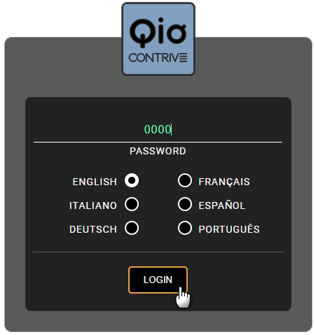
Enter your login password (factory default 0000) and select your preferred language, then press LOGIN. Logout is automatic after 60 minutes of inactivity. |
|
|
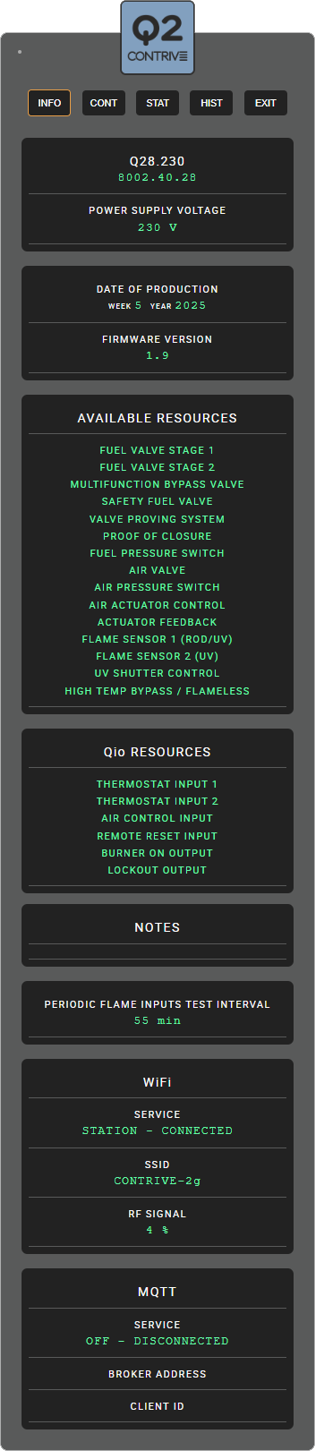
After logging in, the page containing general information will be displayed, which can be called up and updated every time you press the INFO button. The first box shows the model and the supply voltage. The second box contains the manufacturing date and firmware version of the device. AVAILABLE RESOURCES List of resources available for the specific Q2 model.. Qio RESOURCES List of resources available for Qio. NOTES Q2 may contain production notes or information on any repair work. PERIODIC FLAME INPUTS TEST INTERVAL Q2 periodically performs an efficiency check of the flame inputs, from the sensors to the input amplifier to the microprocessors WIFI Information about the WiFi network: the operating mode, the network name and the radio signal. MQTT Qio can connect to a MQTT (Message Queuing Telemetry Transport) broker to publish topics related to the burner's operating status. |
|
|
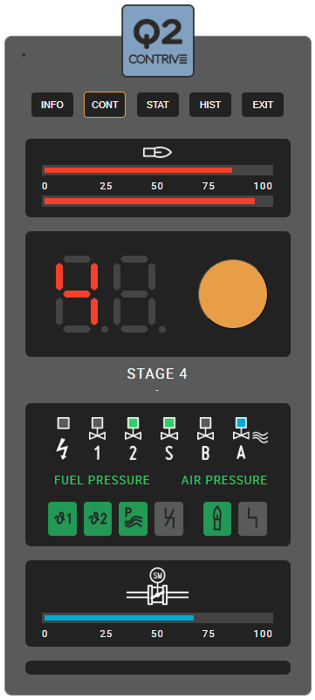
By clicking on the CONT button you go to the control page which shows the operating status of the burner. FLAME SIGNAL The first box shows the intensity of the flame signal for the two inputs. The symbol changes if the High Temperature mode is active. STATUS DISPLAY Replicates the display on the device that indicates the cycle status or the lockout. Click on the button to reset a burner from lockout. INDICATORS For each Q2 output there is a status indicator that replicates those present on the device. The status of the fuel and air pressure switches is also reported, followed by the status of the Qio inputs and outputs (associated with the respective functions). ACTUATOR Actuator opening percentage indicator. |
|
|
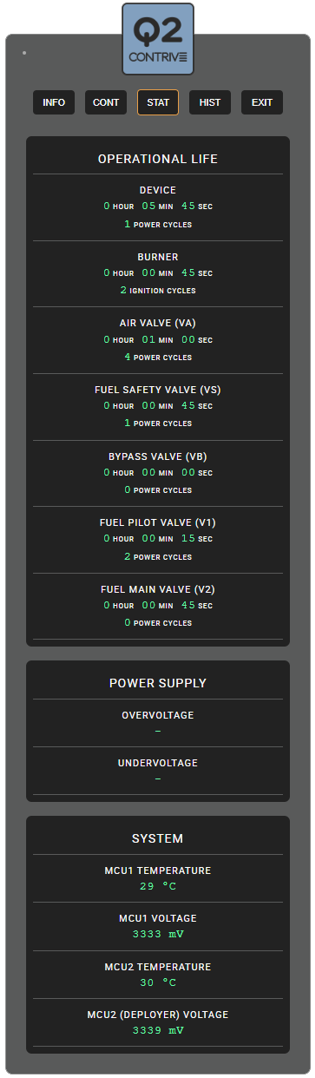
Clicking on the STAT button takes you to the page relating to the operating statistics. Total operating time and the times the DEVICE was powered. Total operating time (flame present) and how many ignition cycles were made by the BURNER. Total operating time and how many power cycles were made by the AIR VALVE. Total operating time and how many power cycles were made by the FUEL SAFETY VALVE. Total operating time and how many power cycles were made by the BYPASS VALVE. Total operating time and how many power cycles were made by the PILOT VALVE. Total operating time and how many power cycles were made by the MAIN VALVE. Any OVERVOLTAGE or UNDERVOLTAGE values that caused a lockout. Current supply VOLTAGE and TEMPERATURE of the two microprocessors. |
|
|
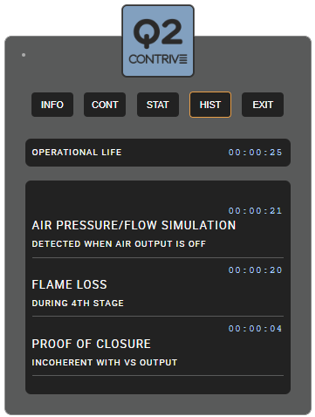
By clicking on the HIST button you access the page containing the history of the last 39 lockouts. For all events, the TIME in which they occurred is reported, referring to the operational life of the device, which is reported in the first box. For each lockout event, there is a DESCRIPTION of the cause and any details. |
|
Q2