|
CODE |
|
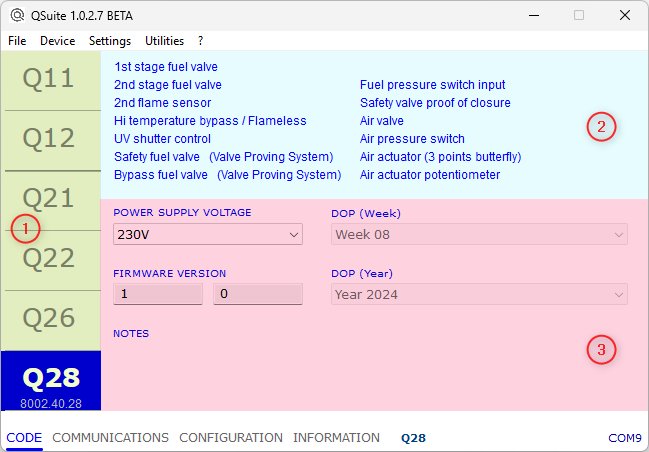
Selecting CODE, the information relating to the device is displayed: |
|
|
|
The page is divided into 3 areas: 1 DEVICE TYPE If the data has been retrieved from a device, the model is highlighted, under which the order code is visible. A click on the box corresponding to the model allows you to select a different model, useful when QSuite is used to create the configuration of a new device to be purchased. 2 FEATURES The functions available for the currently selected model are highlighted in this area. 3 DEVICE DATA If the data has been retrieved from a device, this area shows the production data and the power supply voltage of the linked unit. When QSuite is used to create the configuration of a new device to order, in this area it is possible to choose the desired supply voltage. |
QSuite