|
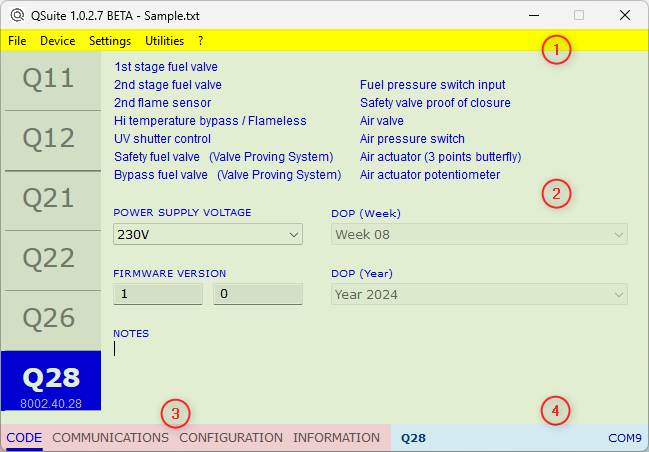
main window |
|
At the top of the window the TITLE BAR shows the QSuite version, possibly followed by the file name if the project has been previously saved or loaded. No file name is reported if the information shown was read from a device. |
|
|
|
1. MENU BAR 2. WORKSPACE 3. NAVIGATOR BAR 4. STATUS BAR |