|
SYSTEM INFO |
|
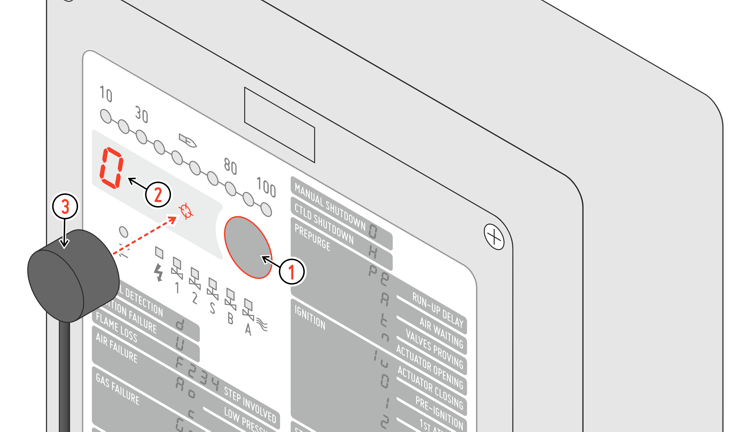
To read information about the operation of Q2: 1 Press the front button to force the MANUAL SHUTDOWN 1 condition 2 Display code 0 confirm that current status is MANUAL SHUTDOWN 3 Put the optical jack on the crosshairs between the display and the key Connect the optical jack Q.link to an USB port on PC, notebook or Android device and start Q.Suite software or App. 1 In monitor mode Q2 must be in OFF condition (display 0). |
|
|
|
|
Q2